Know before the water goes off.
A free app for people in Cape Town. It tells you about planned water, power and road work in your suburb, warns you when the bin truck is near your street, finds where your groceries are cheapest this week, and puts you in touch with neighbours when something goes wrong.
Free. Android and iPhone. No app store needed. See a day with the app ↓
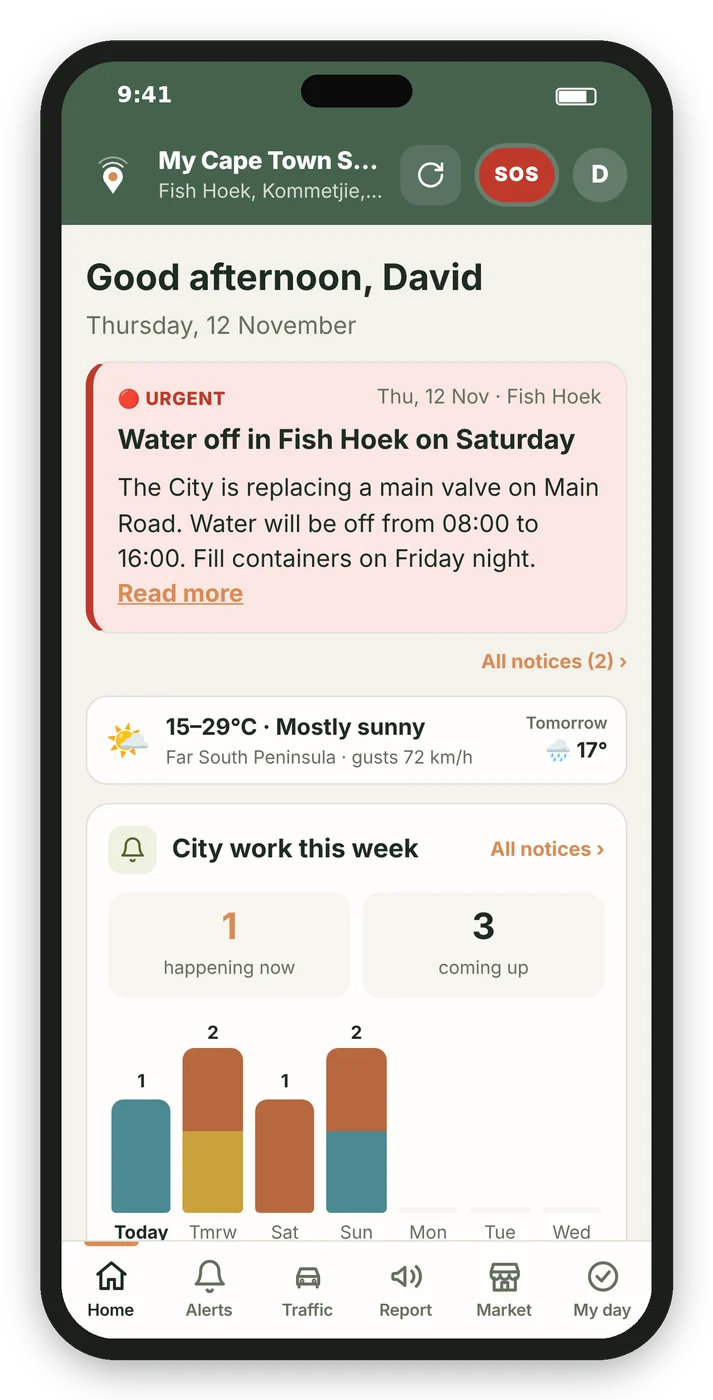
A day with the app
A normal Tuesday, a bit easier.
This is roughly what the app does on a weekday in Fish Hoek. Swap in your own suburb.
- 06:00Your morning briefing
Mostly sunny, 15–29°C. Water off on Main Road from 09:00. It’s bin day. One notification, before the kettle has boiled. - 07:10Fill the kettle and the bottles
Last night you tapped once on the water notice to add it to My day. The reminder goes off now. - 07:42Bin truck spotted 600 m away
A neighbour saw it and tapped “Truck’s here!”. Bins go out now, not the night before, so the baboons don’t get there first. - 13:15No power on your street
Three neighbours have already reported it. You tap “Me too”, then “Tell the City” with the street and details filled in. - 17:20Shopping on the way home
Best Prices says get most of the list at Shoprite and the milk and cheese at Pick n Pay. About R60 less than one big shop. - 18:30Have your say
A two-question poll on speed bumps near the school. Twenty seconds, and you see where your street stands.
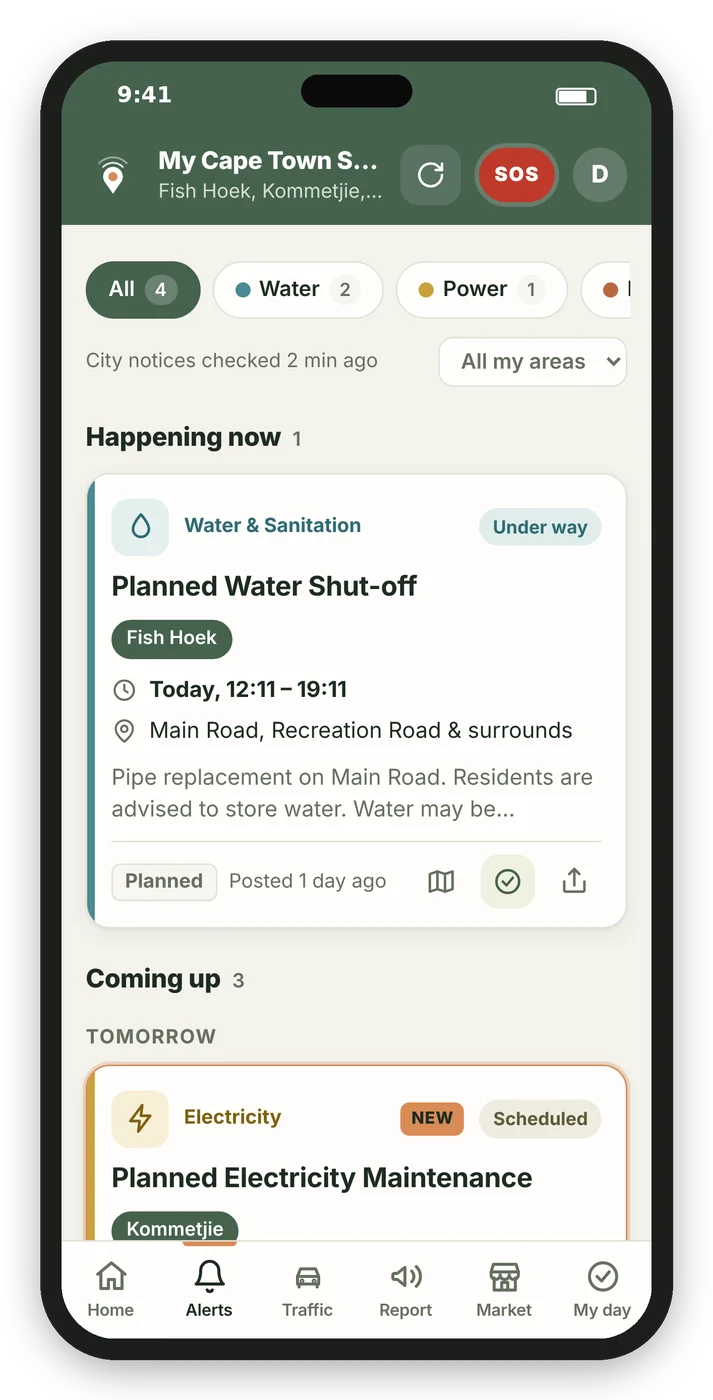
City notices
Your streets, not the whole city.
Pick the suburbs you care about: home, work, your parents’ place. The app checks the City of Cape Town’s public notices every five minutes and shows only what affects you, sorted by day.
- Planned water, electricity and road work
What, where, and for how long. - Load shedding
Stage changes for City and Eskom areas. - Weather warnings
Strong wind, heavy rain and high fire danger for your part of the metro. - Traffic
Crashes and closures on the roads you drive.
Report
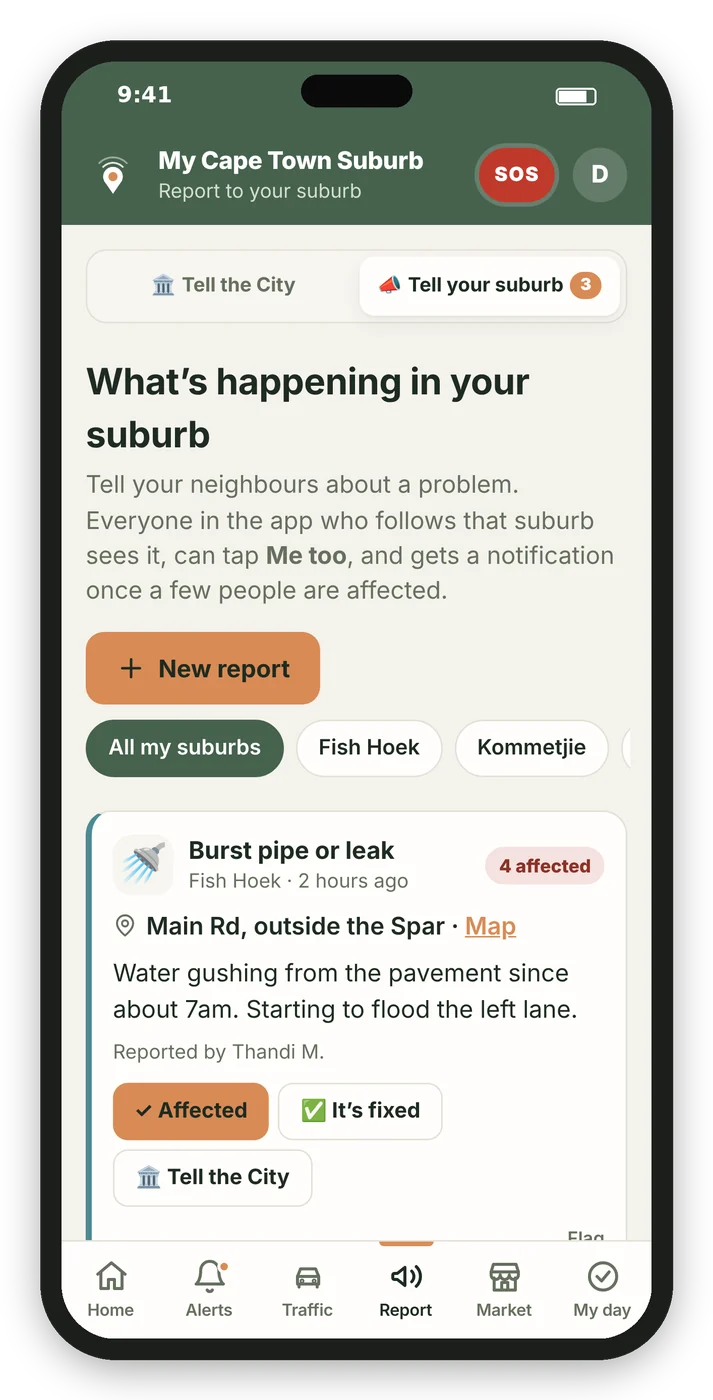
Tell the City. Tell your street.
Tell the City writes the report for you and sends it to the right department by WhatsApp, SMS or email. Keep the reference number in the app.
Tell your suburb shares the problem with neighbours: what it is, where exactly, and a few details. Others tap “Me too” or “It’s fixed”, so the whole street knows what’s going on.
Best Prices
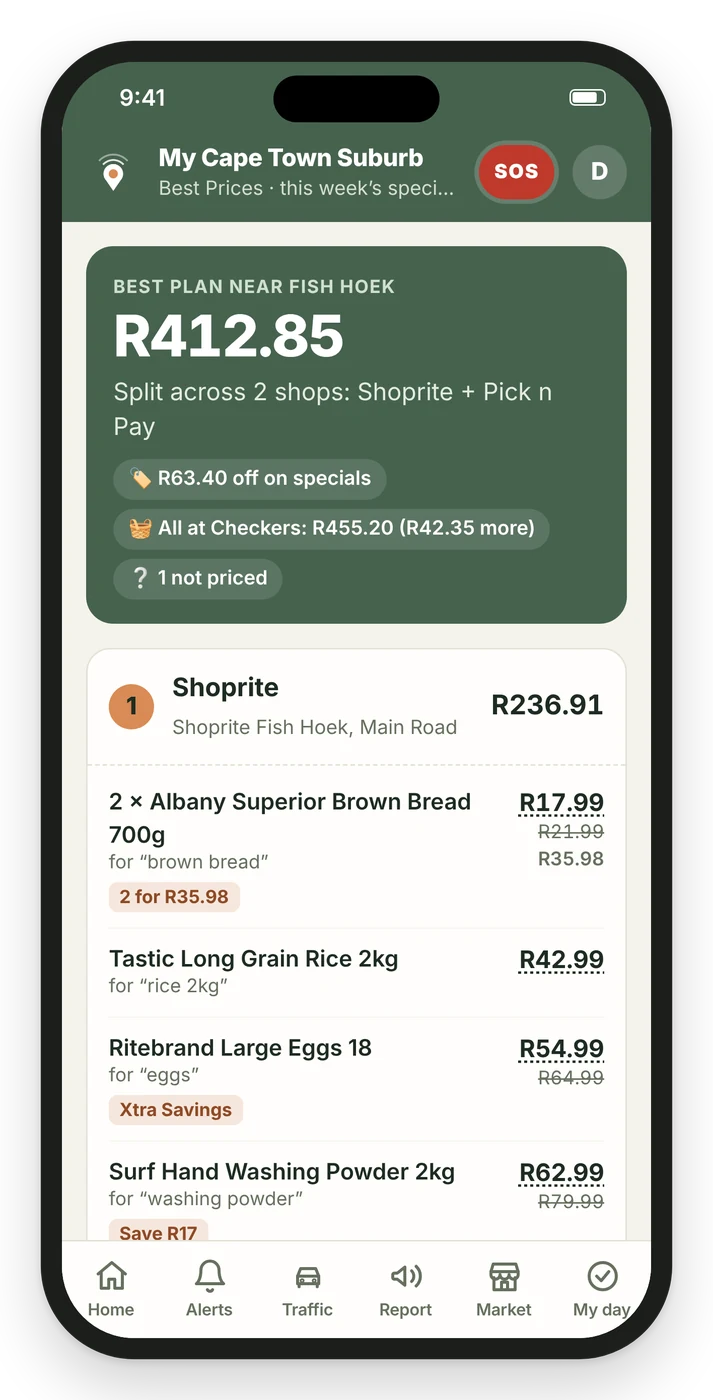
Your shopping list, the cheapest way round.
Type your list, add it item by item, or take a photo of the one on the fridge. The app checks this week’s prices and specials at the shops near your suburb and tells you what to buy where.
- Checkers, Shoprite, Pick n Pay, Woolworths, Spar and more
Prices and specials from the shops’ own websites and catalogues. - You choose how many shops
One stop, or split it across two or three if it saves enough. - Every price has a link
Tap it to check. Loyalty-card prices are marked.
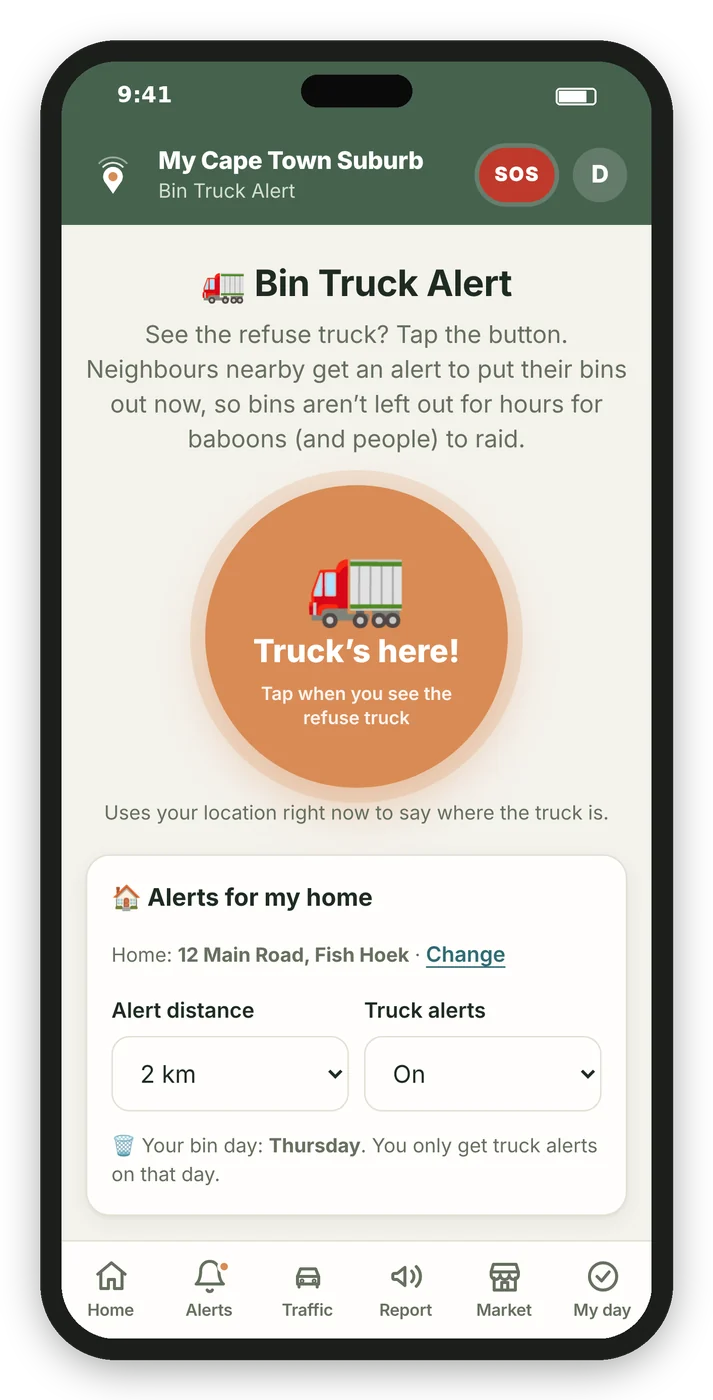
Bin Truck Alert
Bins out when the truck is close. Not the night before.
Whoever sees the refuse truck first taps one button. Everyone whose home is within 2 km gets a notification, but only on their bin day. After a few weeks the app knows when the truck usually reaches your street.
- One tap
No typing. The app uses where you are. - Only nearby, only on bin day
No pointless alerts. - Your home stays private
Saved roughly and never shown to anyone.
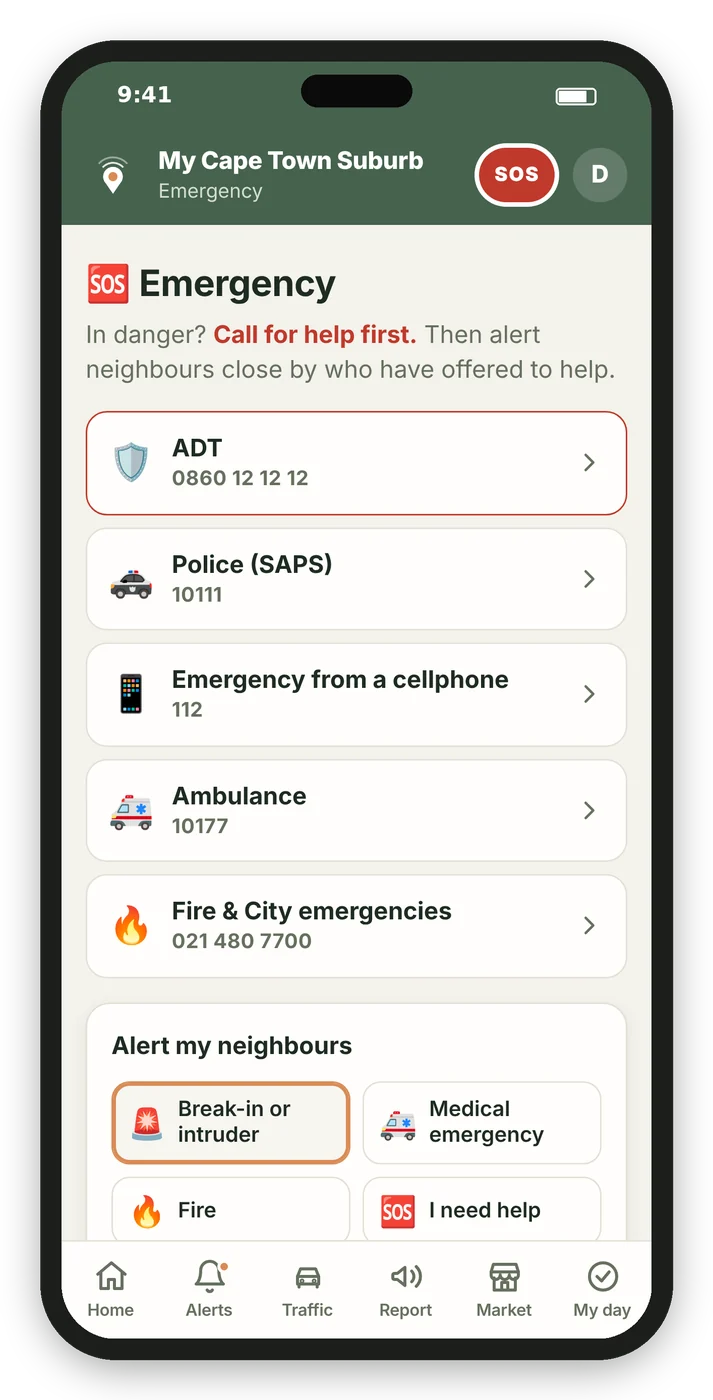
Emergency
When something goes wrong, the people next door know.
Press and hold SOS for two seconds. Neighbours within a kilometre who have offered to help get an alert with your name, number and location, and you can see who’s on the way.
The same screen gives you one-tap calls to SAPS, ambulance, fire and your own armed response.
SOS doesn’t replace SAPS or your security company. It makes sure the people closest to you know too.
And the everyday things.
My day
A to-do list that understands “bins out every Tuesday 7pm”, with reminders on your phone.
Need & Offer
A free local noticeboard. Find a plumber nearby, sell a couch, or offer your skills.
Notices
Important updates for your area from the people who run the app.
Polls
Vote on local issues. One answer per person, results anonymous. See the results
Why we built it
Cape Town has good information. It’s just spread across City notices, WhatsApp groups, Facebook posts and the one neighbour who always seems to know.
We wanted one calm place for your suburb: what’s planned, what’s happening now, and who nearby can help. It’s free, we don’t sell your details, and your home location is only ever used to work out what’s near you.
The My Cape Town Suburb team
Questions
Is it free?
Yes. Creating an account and getting notifications is free. Best Prices may become a small paid extra later; you’ll always see that before you use it.
Are the Best Prices exact?
They’re a good guide, not a promise. Prices come from what the shops publish online for the week, and they can differ between branches. Every price has a link so you can check it, and specials that need a loyalty card are marked.
Is this the official City of Cape Town app?
No. It uses the City’s public notices, but it isn’t run by or linked to the City. To log a fault officially, use “Tell the City” in the app.
Do I need to download it from an app store?
No. Open it in your phone’s browser and add it to your home screen. From then on it works like any other app.
Does it work on iPhone?
Yes, on iOS 16.4 or newer. In Safari tap Share, then “Add to Home Screen”, and open it from there to turn on notifications.
Does SOS replace calling the police?
No. Always call SAPS (10111), 112 or your armed response first. SOS lets neighbours who have offered to help know as well.
Who can see where I live?
Nobody. If you set your home for Bin Truck Alert or SOS, it’s saved roughly (to about 100 m) and only used to work out what’s near you. It’s never shown to other people, and it’s deleted if you delete your account.
Set it up in a minute.
Choose your suburbs, turn on notifications and add it to your home screen.
Independent app. Not an official City of Cape Town service.